Areas within a visit
Separate the roof, façade, plant room or other areas at the same site.
Technical Inspections
Keep every finding in the right place. Record observations by site and area, attach photos and prepare a Word report from the completed visit.
14-day free trial, subject to approval. Starter limits: 1 user and 2 Word reports per calendar month. Evidence Requests is not included.
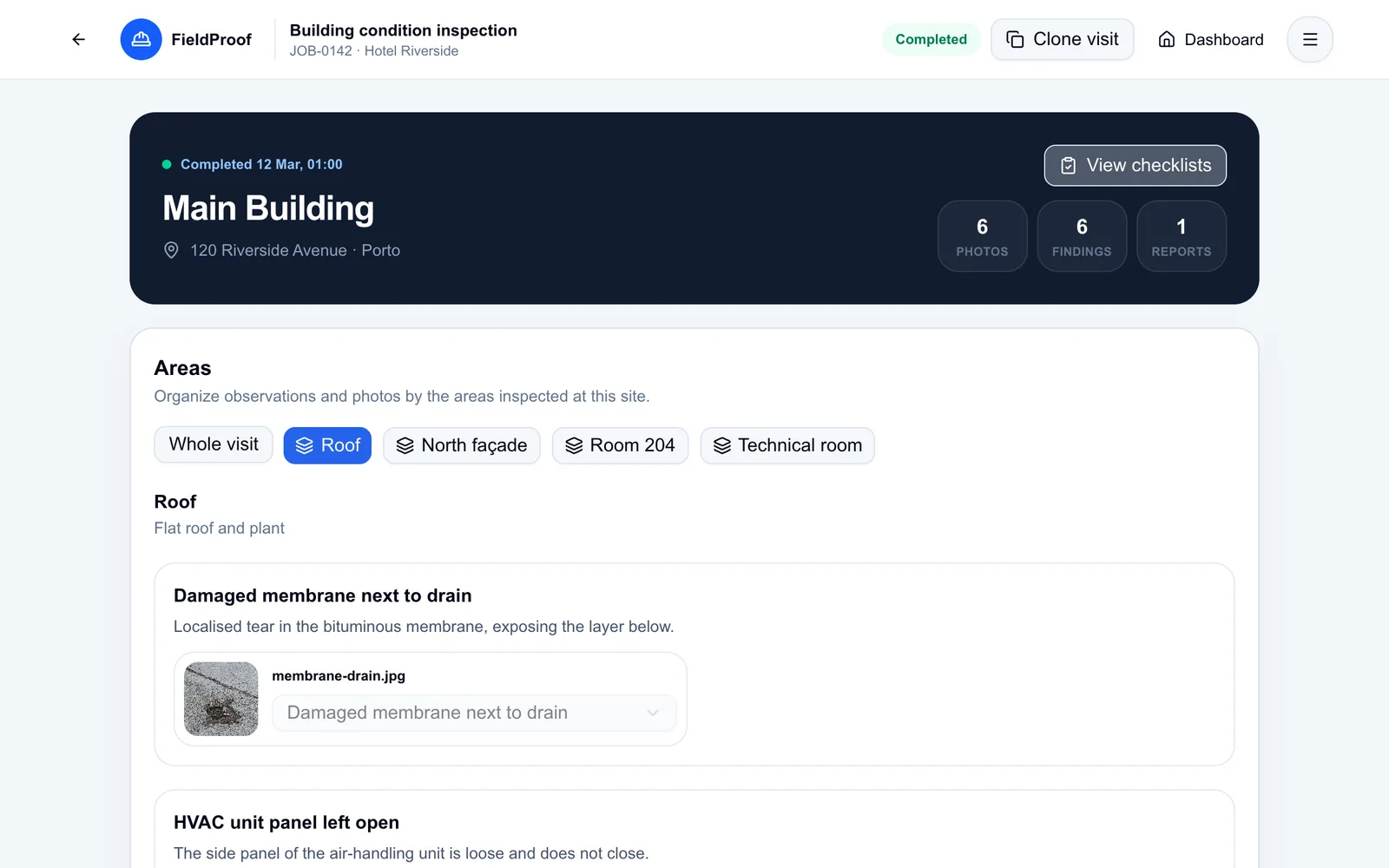
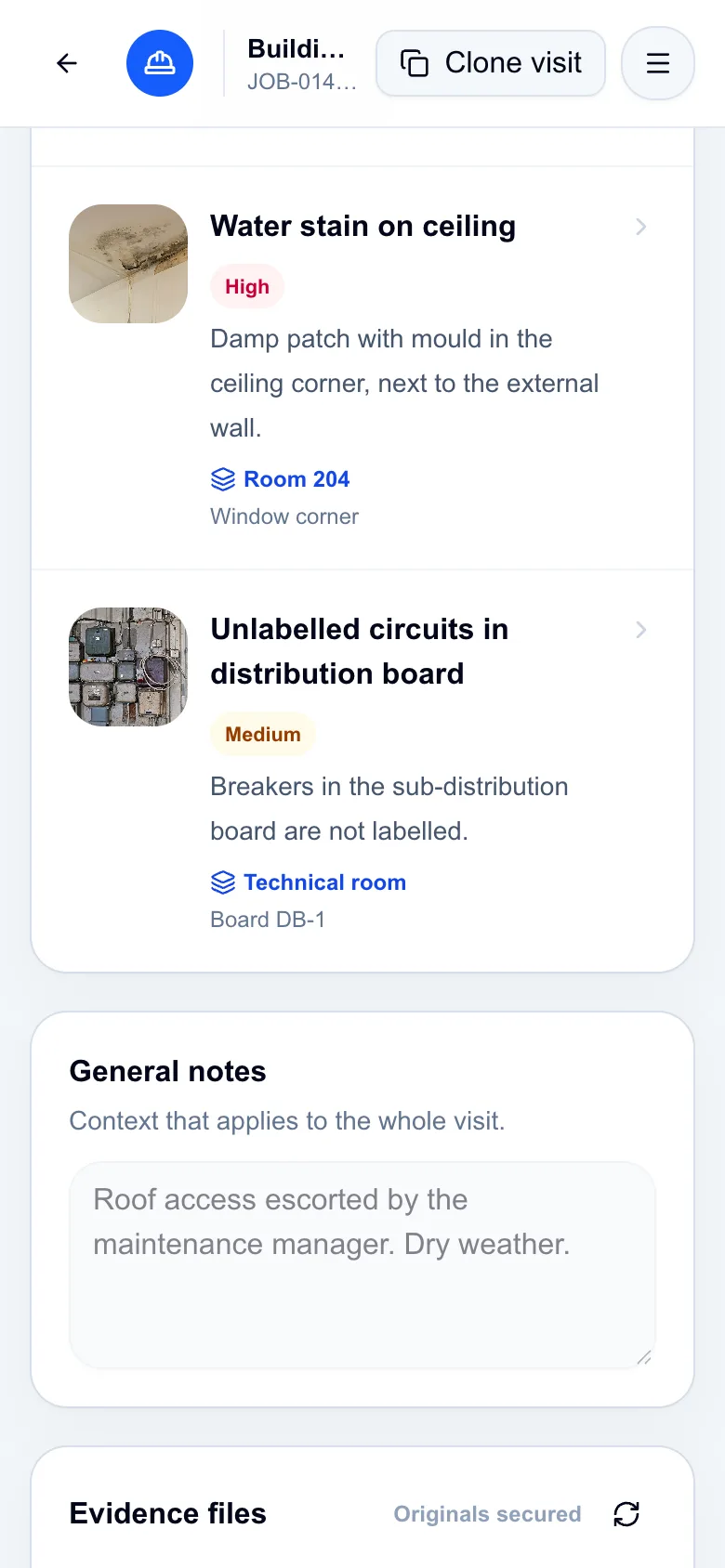
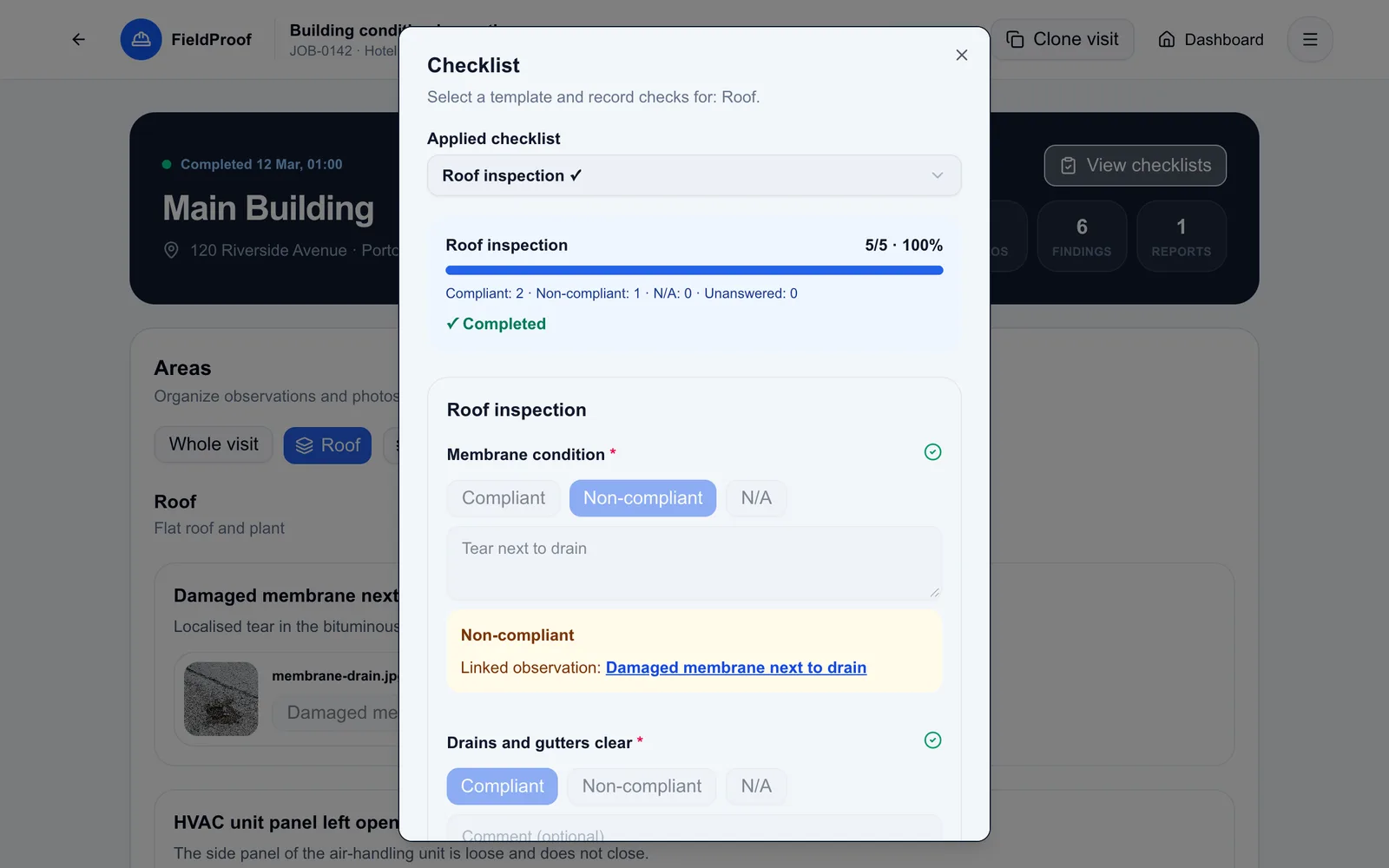
Application screenshots with fictional demo data.
Notes in a notebook and photos on a phone leave you with another task after the inspection: rebuilding the story of the visit. The reader needs to know where you looked, what you found and what you recommend.
FieldProof connects the customer, site, job and visit. Within a visit, each area holds its own observations and evidence.
Open the job and start a visit at the site. Set up the areas you need to inspect.
Describe the observation, location, severity and recommendation. Attach photos to the right record.
Complete the visit and generate a Word report using your chosen scope and template.
Separate the roof, façade, plant room or other areas at the same site.
Keep the description, recommendation and photos in one context.
Apply a checklist and record answers and notes during the visit.
In practice
Illustrative scenario: an inspector finds a break in the waterproofing and signs of water damage in a guest room.
The report presents the findings by area, helping the customer understand where attention is needed.
Anyone reviewing the job can find the site and visit behind each observation.
Recorded evidence feeds the document without another search through scattered photos.
The job history helps you review what was observed before.
Yes. A visit can contain several areas, each with observations, evidence and checklists. You can also keep general records at visit level.
Yes. The web interface adapts to a phone for recording observations and attaching photos. Recording in this interface requires an internet connection.
Checklists help organise the checks. The responsible professional defines the criteria, makes the technical assessment and records the recommendations.
Explore the process with fictional data in the demo, or request trial access to try it with your own inspection workflow.
14-day free trial, subject to approval. Starter limits: 1 user and 2 Word reports per calendar month. Evidence Requests is not included.