FIELD INSPECTION AND REPORTING SOFTWARE

From site visit to Word report, without chasing photos.

FieldProof is where inspection, survey and field teams record observations and photos on site — organised by customer, site, job, visit and area — and turn one or several visits into a professional Word report.

14-day free trial · No card required · Trial requests are reviewed manually during the preview

Watch the video
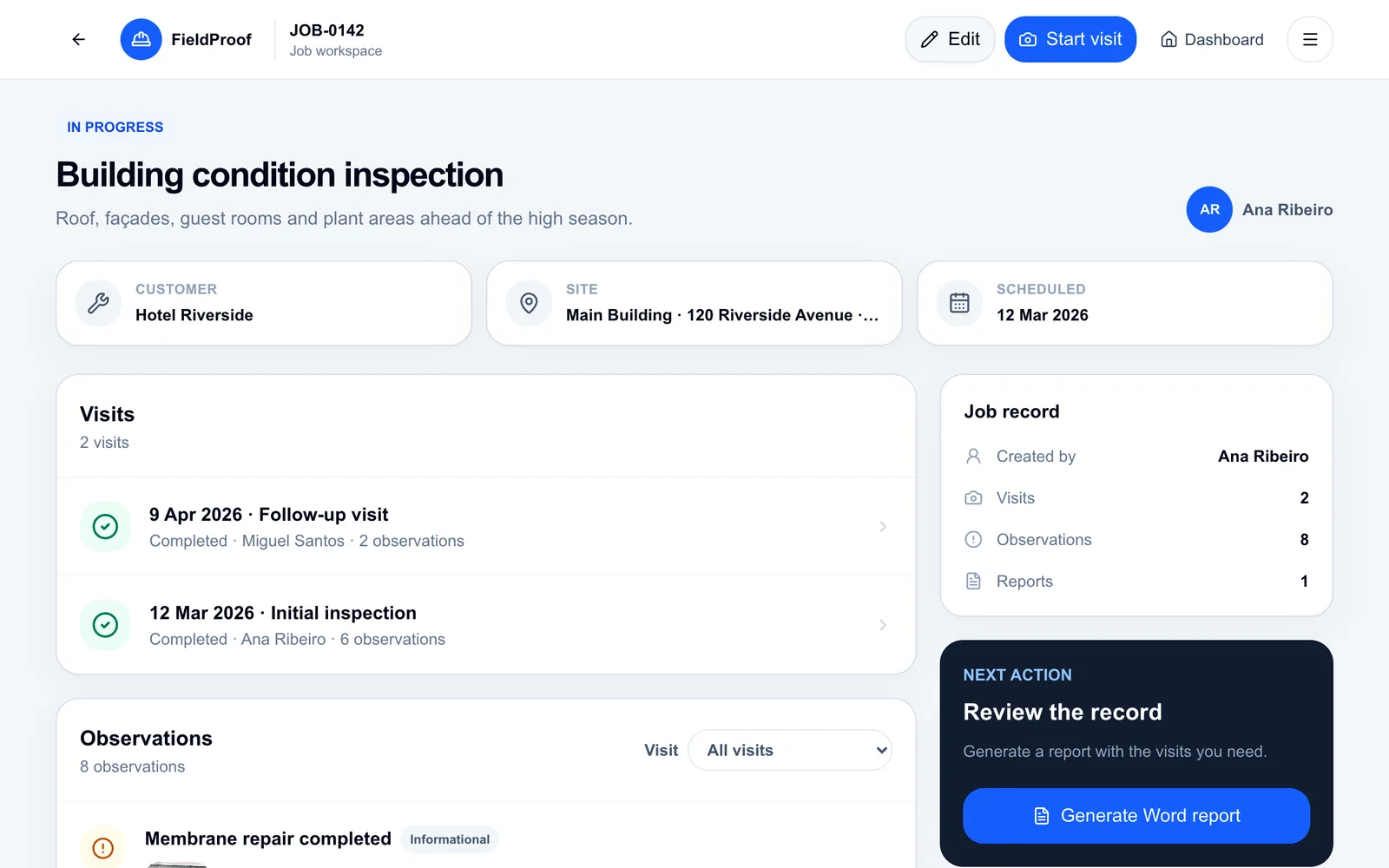
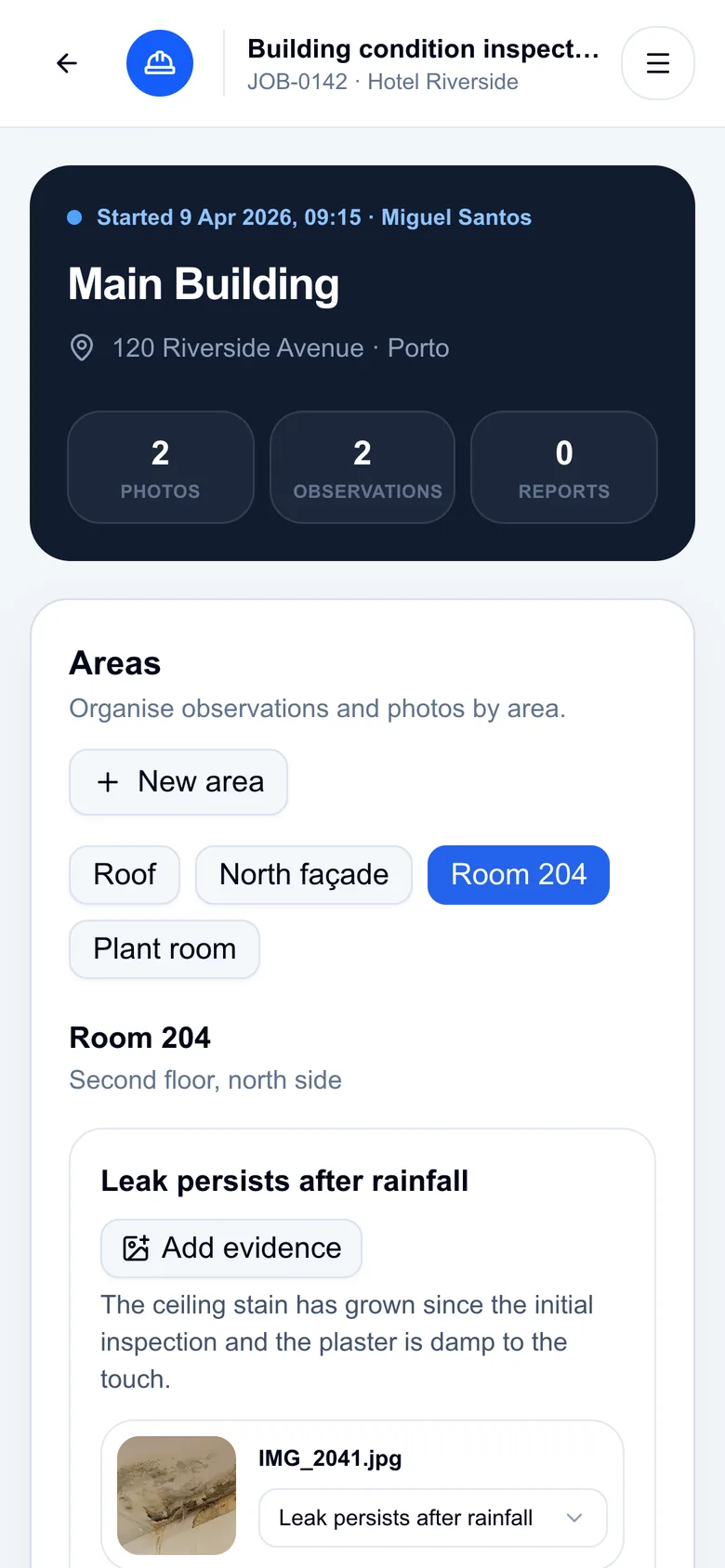
FieldProof job workspace with two visits and observations, and the visit screen on a phone
Screens from the interactive demo · fictional data

THE PROBLEM

The visit ends. Then the paperwork starts.

Most field teams already take good photos and notes. The time goes on putting them back together afterwards.

FieldProof keeps every photo attached to the right observation from the moment it's taken — so the report is built from the record, not from memory.

  • 1

    Photos scattered everywhere

    On each technician's phone, in WhatsApp threads and email attachments.

  • 2

    Notes separated from photos

    Someone has to work out which picture belongs to which issue, in which room.

  • 3

    Reports assembled by hand

    Copying, resizing and numbering photos in Word, visit after visit.

  • 4

    History that's hard to follow

    Comparing today's visit with the last one means digging through folders.

HOW FIELDPROOF ORGANISES YOUR WORK

A structure that follows the way field work is done.

Every record has a clear place. That's what lets FieldProof produce the report for you.

  1. 1

    Customer

    Hotel Riverside

    Who you work for.

  2. 2

    Site

    Main Building

    Persistent locations for each customer.

  3. 3

    Job

    JOB-0142 · Building inspection

    The piece of work, with its own reference.

  4. 4

    Visit

    Initial inspection · 12 Mar

    Each trip to site, with date and technician.

  5. 5

    Area

    Room 204

    Roof, façade, room, plant room…

  6. 6

    Observation + evidence

    Water stain on ceiling · E005

    What you found, with its photos.

  7. Report

    Consolidated report .docx

    One visit, several visits or several jobs.

WHAT YOU GET

Built around the visit and the report.

ON SITE

Record area by area, straight from your phone.

Open the visit in the mobile browser, choose the area and record what you see. Each photo goes to the observation it documents.

  • Areas within every visit: roof, façade, Room 204…
  • Observations with severity, exact position and recommendation
  • Photos and PDF documents attached to the right observation, originals kept unchanged
  • Checklists with compliant, non-compliant or N/A
Record area by area, straight from your phone.

HISTORY

Several visits, one clear history.

A job keeps every visit: the initial inspection, the follow-up, the next quarterly check. Observations from all of them appear in one list, with their photos.

  • Several visits per job, on one or several sites
  • Clone a completed visit to start the next inspection
  • Filter observations by visit
  • Open high and critical observations across all jobs
Several visits, one clear history.

REPORTS

A professional Word report, with exactly the scope you choose.

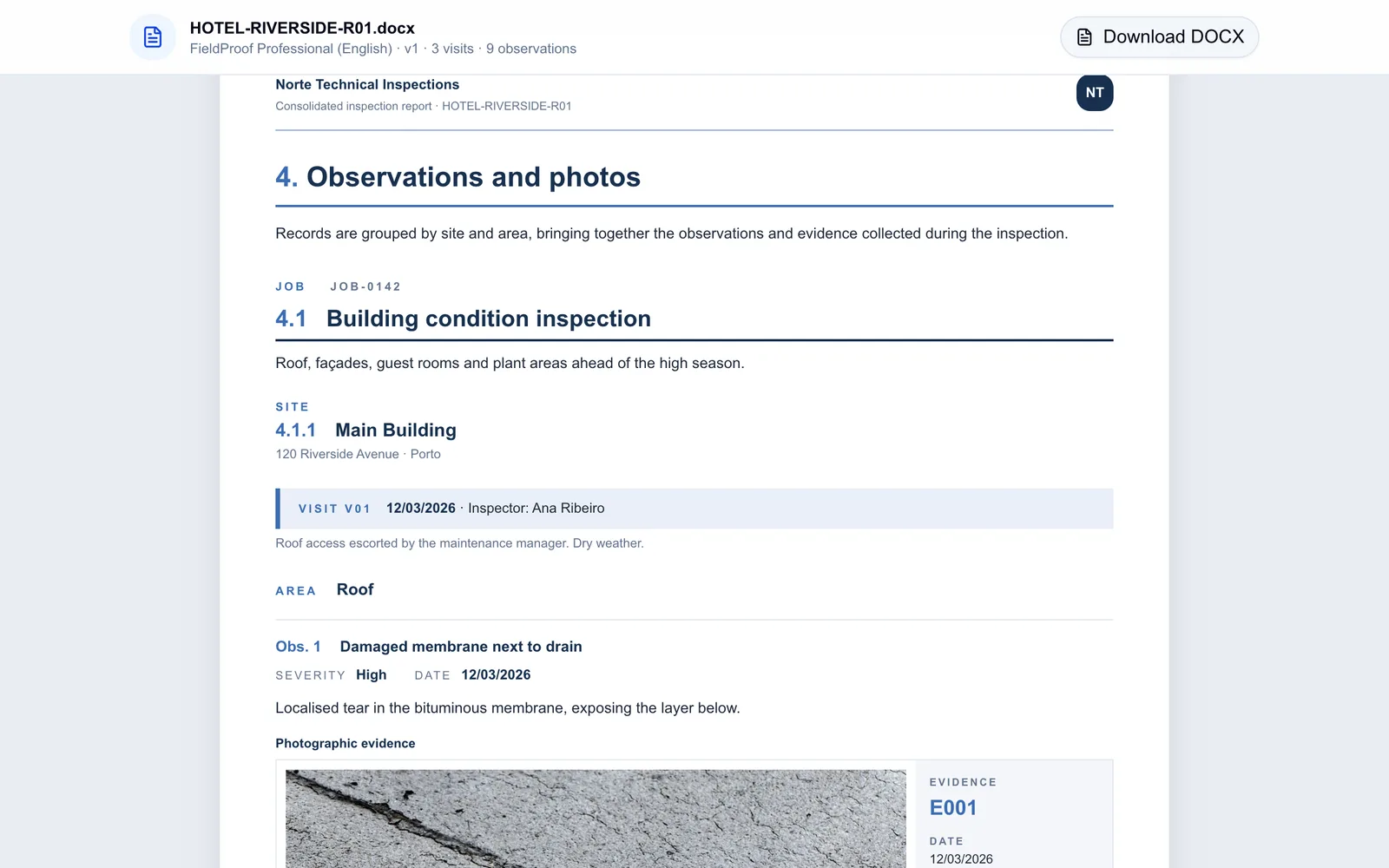
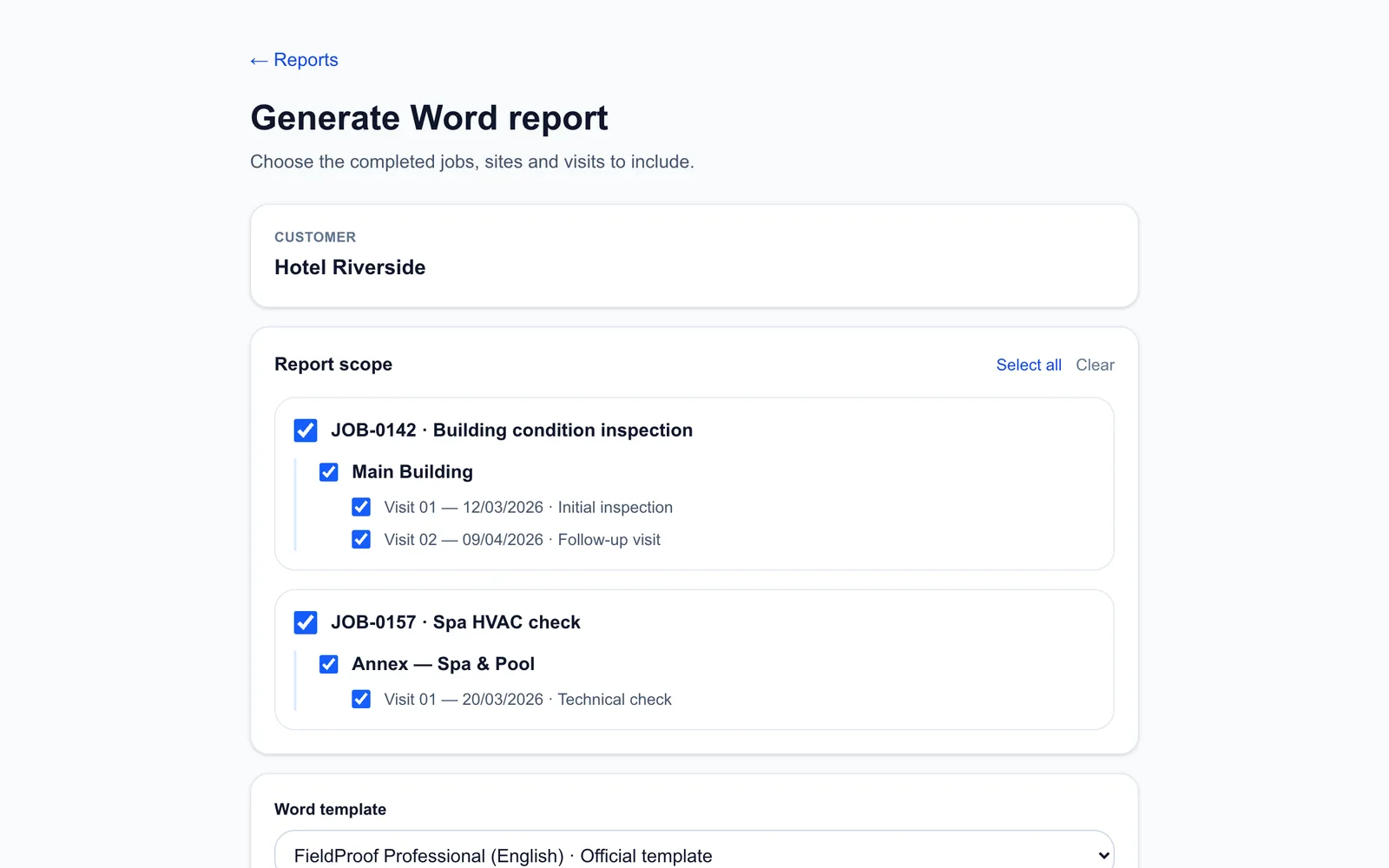
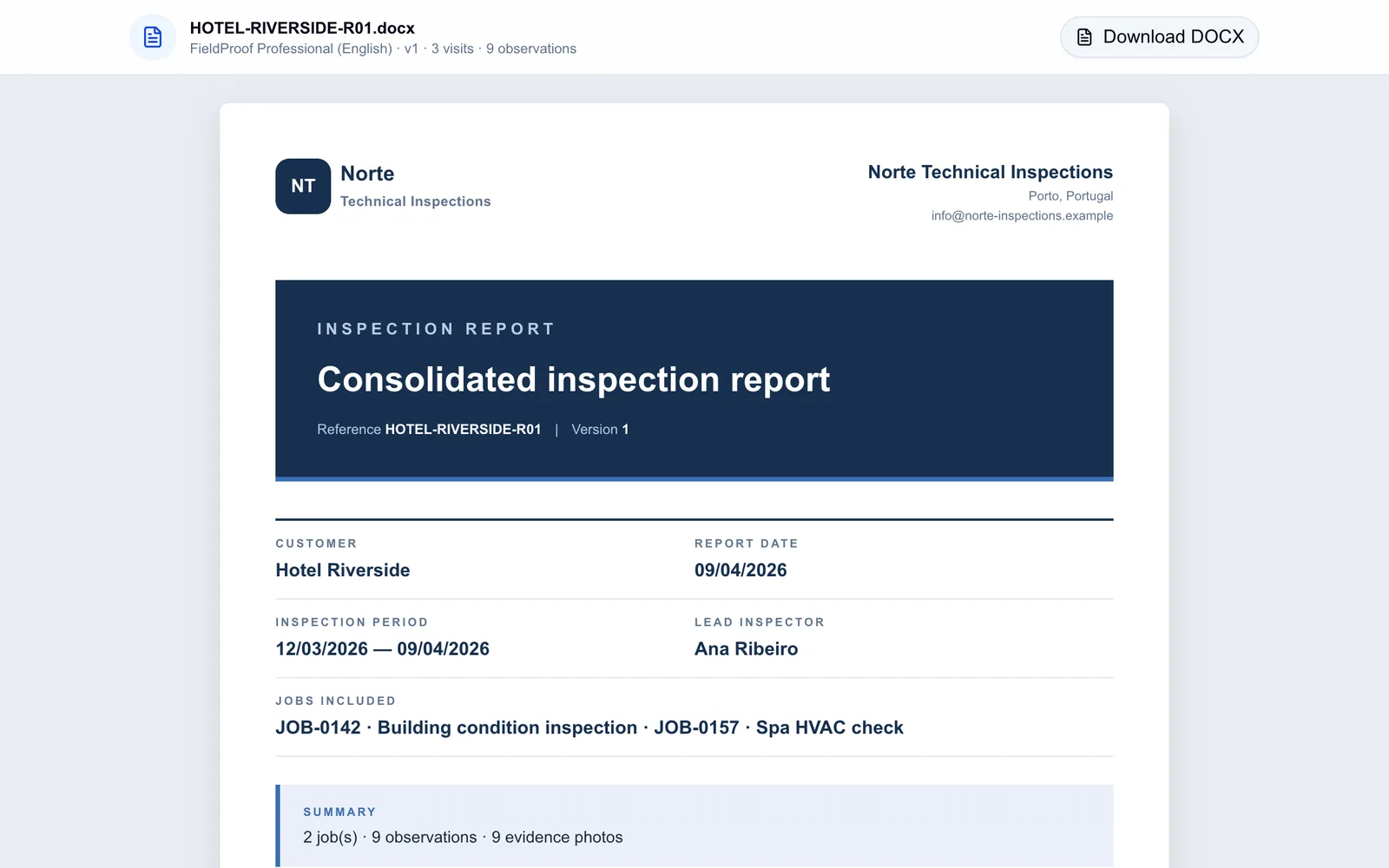
Pick the customer's jobs, sites and completed visits. FieldProof builds one document organised by job, site, visit and area, with numbered photos.

  • One visit, several visits or several jobs in one report
  • Cover, scope, checklist results, observations and conclusions
  • Editable .docx file
  • Every version kept unchanged, with the data used to generate it
A professional Word report, with exactly the scope you choose.

YOUR TEMPLATE

Your Word template, your logo.

Start with the official FieldProof template or upload your own .docx with FieldProof fields. FieldProof checks the template and lets you test it before using it.

  • Official template ready to use, in English or Portuguese
  • Upload, validate and test your own Word templates
  • Your organisation's logo, address and contacts
  • Set the default template for the whole team
Your Word template, your logo.

STORAGE

Files stay where your organisation already works.

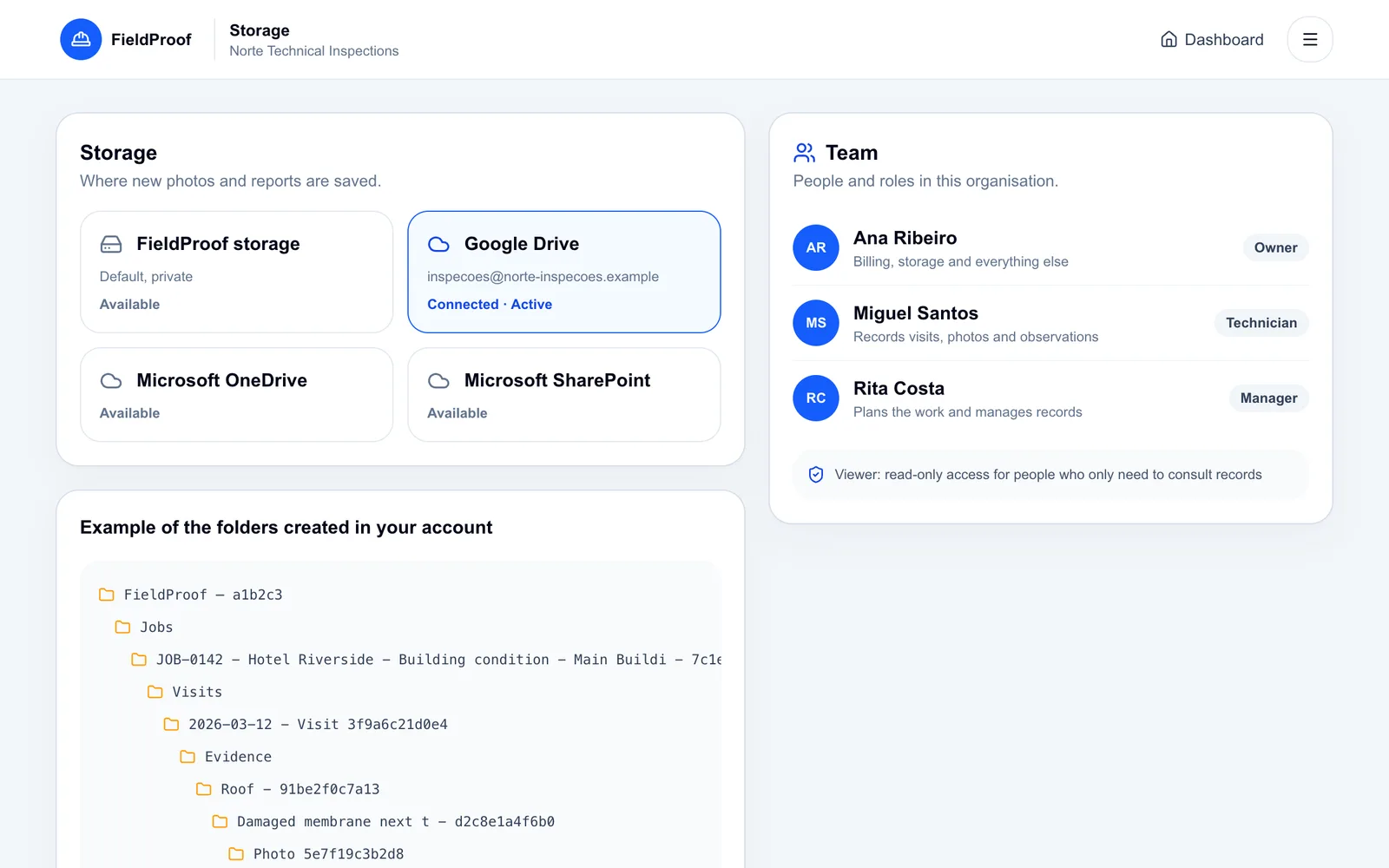
Connect your organisation's Google Drive, OneDrive or SharePoint, or use FieldProof's private storage. FieldProof creates readable folders by job, visit, area and observation, and saves the reports alongside them.

  • Google DriveYour organisation's account
  • Microsoft OneDriveBusiness or personal account
  • Microsoft SharePointA document library you choose
  • FieldProof storagePrivate storage, ready from day one

Connecting storage is done by an owner or administrator. Disconnecting never deletes your files.

Files stay where your organisation already works.

TEAM AND ACCESS

Clear access for every person on the team.

Roles that match the work

Owner, administrator, manager, technician and viewer.

Data kept per organisation

Every record and file belongs to one organisation and is only accessible to its members.

Access is approved

New organisations are approved before they can be used; administrators add their own team members.

Sign in with Google or Microsoft

No new password to manage.

A trail of what happened

Material actions are kept in an activity log, including deletions.

Originals preserved

Each photo keeps its uploader, date and a SHA-256 integrity hash.

And the details that make day-to-day work easier

  • Portuguese and English interface
  • Search, filters and pagination in every list
  • Drag to reorder areas and observations
  • Move a photo to another observation or area
  • Edit customers, sites and jobs at any time
  • Recent activity and priority observations on the dashboard

SEE IT FOR YOURSELF

Walk through a complete inspection in five minutes.

Follow a fictional inspection at Hotel Riverside: two visits, four areas, observations with photos, a checklist and the consolidated Word report. Nothing you do is saved.

Open the interactive demo

Prefer to watch?

A short video follows the same inspection, from the job to the Word report.

Subtitled video · fictional data · under 3 minutes

Download the presentation (PDF, 10 slides)

WHERE IT FITS

One way of working, for different field teams.

Inspections, surveys, construction quality, property and facilities, technical services.

Building Inspections

Keep inspection photos, observations and locations together so that the report reflects what you actually saw on site.

See how it fits

Construction / QA

Give each site visit, photo and quality observation a place in the job record instead of leaving evidence across chat threads.

See how it fits

Property & Facility Management

Build a consistent record of site conditions, maintenance observations and completed visits across the properties you manage.

See how it fits

Field Service

Give technicians a straightforward way to record site evidence, observations and work notes before the details disappear into messages.

See how it fits

PRICING

Start with Starter. Grow with your team.

Starter costs €9 a month for one user and two Word reports a month. Individual, Team and Business have no monthly report cap. Enterprise terms on request.

See plans and pricing

From €9 / month

Team: €69 / month for up to five users

The 14-day free trial uses the Starter limits. Subscriptions are handled by Stripe.

COMMON QUESTIONS

A few things worth knowing.

What is FieldProof?

FieldProof is a web application for recording field work — customers, sites, jobs, visits, areas, observations, photos and checklists — and turning it into professional Word reports.

Who is it for?

Building inspectors, surveyors and loss adjusters, construction quality teams, property and facilities managers, and technical service teams who need a clear record of every visit.

Can I use it on my phone?

Yes. The web application works in the mobile browser: you can open a visit, take photos and record observations on site. There is no separate app to install.

What do the reports look like?

They are Word (.docx) documents with a cover, the report scope, checklist results, observations organised by job, site, visit and area with numbered photos, and conclusions. Use the official template, in English or Portuguese, or upload your own.

Can one report cover several visits?

Yes. You choose the jobs, sites and completed visits of a customer, and FieldProof produces a single consolidated document.

Where are my photos and reports stored?

In your organisation's Google Drive, OneDrive or SharePoint, or in FieldProof's private storage, in folders by customer, job and visit. Files are only accessible through your organisation's account. PDF documents stay attached to their observation; the Word report includes the photos.

Can my team work together?

Yes. Administrators add team members and assign roles: owner, administrator, manager, technician or viewer. Each plan includes a number of users.

Is there a free trial?

Yes, 14 days without a card, with the Starter limits (one user, two reports a month). During the preview, trial requests are reviewed manually; signing in alone does not create an account.

What happens to my data?

Your organisation owns its records and chooses where files are stored. Disconnecting a storage provider does not delete files. The public website does not use marketing cookies. Talk to us about retention and export before production use.
Leave site with everything in the right place.

Photos, observations and checklists are organised while you work. The Word report comes straight from them.

Preview trials are approved manually.